Run 3 Unblocked — Play Free Online
More Tunnel & Speed Runners games

Run 3 unblocked: play Run 3 online free right here in your browser — no download, no sign-up, works on a school Chromebook.
What is Run 3?
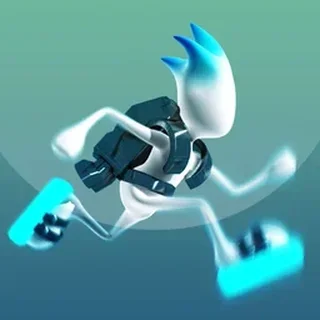
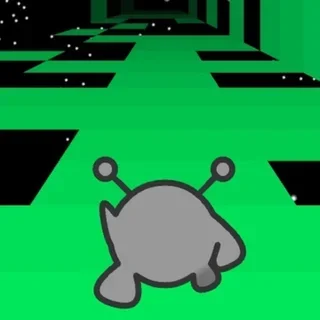
Run 3 is an action platformer created by independent developer Joseph Cloutier and first released in June 2014. In this game, you take control of a small alien sprinting through a network of hollow tunnels that drift across outer space. Unlike traditional running titles where movement stays locked to a single flat lane, Run 3 lets you leap across broken tiles and scale the sides of the structure. Stepping onto a wall reorients the gravitational field so that surface instantly becomes your new floor. The entire game plays smoothly in modern web browsers with no download or account required.
Key features
- Dynamic tunnel rotation: Running onto any side wall rotates the tunnel environment, allowing you to create safe running lines around broken gaps.
- Multiple game modes: Explore Mode delivers a progression map filled with distinct tunnel zones, while Infinite Mode provides an endless obstacle course.
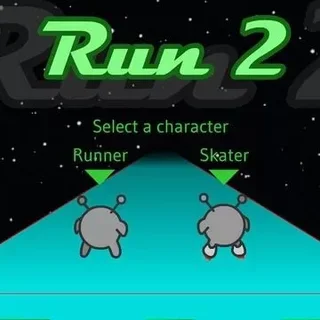
- Unlockable alien characters: Discover new playable aliens throughout your journey, each bringing distinct jump heights and running physics.
- Precise platforming controls: Responsive inputs let you make quick adjustments, short hops, and long leaps across collapsing tiles.
- Atmospheric space setting: Floating architectural pathways set against dark cosmic vistas create an engaging visual environment.
- Browser-based accessibility: Built with web technology for instant loading on desktop computers and Chromebooks.
How to play
- Start your run: Select your preferred game mode and begin sprinting along the primary floor of the floating space tunnel.
- Survey incoming gaps: Watch the tiles ahead closely to spot missing panels, crumbling walkways, and wide chasms in advance.
- Jump over short hazards: Press the Space key or Up Arrow to clear small floor openings before your alien drops into deep space.
- Rotate onto sidewalls: Steer into a left or right wall when the floor ahead contains holes too large to jump over directly.
- Maintain momentum: Continue adjusting your running surface as the tunnel layout becomes more intricate and fast-paced.
Controls
The game uses straightforward keyboard inputs to deliver precise control over your runner:
| Action | Keyboard |
|---|---|
| Move left | Left Arrow or A |
| Move right | Right Arrow or D |
| Jump | Space or Up Arrow |
Gravity rotation and tunnel mechanics
The core mechanic that defines Run 3 is its three-dimensional gravity system. Every tunnel consists of four connected interior sides. When you steer your runner toward the left or right edge, your character climbs onto the adjacent wall. The entire tunnel immediately pivots ninety degrees around your runner, reorienting gravity so the wall beneath your feet becomes the solid ground.
Mastering this rotation is essential because wide gaps on the floor are frequently bordered by unbroken strips on the walls or ceiling. Instead of attempting impossible leaps over wide voids, rotating the tunnel allows you to bypass dangerous sections safely. As levels advance, certain tiles crumble on contact, forcing you to plan your rotations several steps ahead.
Tips and strategy
- Plan your surface transitions early: Scan several tiles ahead rather than watching your feet. Rotating onto a side wall early gives you ample time to stabilize your footing before reaching a chasm.
- Use short hops for precise landings: Tapping the jump input lightly produces a controlled leap, preventing you from overshooting narrow platforms or crashing into upper obstacles.
- Avoid middle lanes with crumbling tiles: Darker floor panels often detach when touched. Favor outer edges where you can quickly transition to a solid wall if the walkway gives way.
- Experiment with different alien runners: Different unlocked characters feature unique speeds and jump arcs. Switching runners can make particularly tricky tunnel sections much easier to clear.
- Stay centered on your current plane: After rotating onto a new wall, stabilize your character in the center of the lane so you have equal room to dodge left or right.
Game modes
Explore Mode
Explore Mode serves as the primary campaign in Run 3. Players navigate through a galaxy map containing branched tunnel sectors. Completing individual stages unlocks new paths, introduces alternate alien companions, and reveals cutscenes that explain the cosmic setting. It is the ideal mode for learning tunnel layouts and mastering tricky jumps.
Infinite Mode
Infinite Mode tests your endurance by generating an unending cosmic tunnel filled with progressively challenging gaps and crumbling pathways. The goal is to survive as long as possible and achieve a top score. Power cells scattered throughout the tunnel can be collected during runs to unlock bonus characters in the shop.
Versions and similar games
Run 3 represents the third installment in the classic space runner series created by Joseph Cloutier, expanding on the concepts introduced in the earlier titles with richer mechanics and branching levels.
If you enjoy the fast reflexes and spatial awareness required in Run 3, several companion games on this site offer similar challenges:
- Tunnel Rush: A high-speed first-person runner where you dodge rotating hazards inside vibrant, neon-lit corridors.
- Color Tunnel: A fast obstacle evasion game where rapid patterns and colorful tracks demand split-second dodging.
- Slope: A classic velocity runner where you steer a rolling sphere down an infinite, randomized downhill course.
Developer and history
Run 3 was developed by American independent developer Joseph Cloutier and launched in June 2014. Building upon the success of the original browser runners, Run 3 became an enduring web favorite thanks to its responsive controls, clever gravity rotation mechanics, and extensive level progression. Today, the HTML5 edition allows players to enjoy the full experience directly within modern web browsers.
Questions about Run 3
Is Run 3 unblocked at school?
Run 3 runs in an ordinary browser tab from tunnelrush.app, with nothing to download or install, so it plays on most school Chromebooks and work computers. If a network filter blocks the site, only that network's administrator can change it.
How do you control the character in Run 3?
Steer left with the Left Arrow or A key, move right with the Right Arrow or D key, and press the Space key or Up Arrow to jump over gaps in the tunnel.
What makes the wall running mechanic unique in Run 3?
When your alien runs into a side wall, the entire tunnel rotates so the wall becomes the new floor, letting you bypass large gaps in the pathway.
What is the difference between Explore Mode and Infinite Mode?
Explore Mode guides you through a branching series of handcrafted space levels, whereas Infinite Mode presents an endless tunnel to test your survival score.
Do I need to install any files to play Run 3 on this site?
No installation is required. Run 3 runs directly inside your web browser on desktop and laptop computers without plugins or downloads.