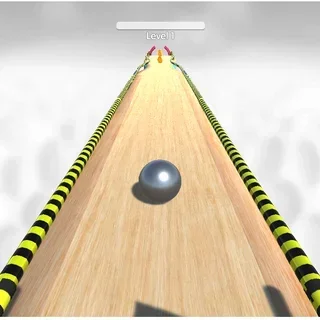


This is Tunnel Rush unblocked: the original Unity game loads from tunnelrush.app in your browser, so it runs on a school Chromebook with no download and no account. Two keys, one gap, a speed that never drops.
Tunnel Rush: a distance counter, a speedometer and a tunnel that wants you to blink
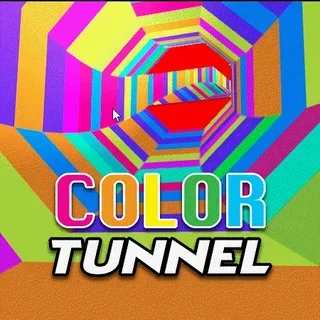
Tunnel Rush is about as simple as a 3D game gets. The camera is inside a tunnel with flat, brightly coloured sides, and it is always moving forward. Things appear down the tube: a panel that fills most of the ring and leaves one face open, clusters of blocks, bars that cross the tunnel at an angle. You press Left or Right, the whole tunnel swings around you, and you try to be looking at open space when the obstacle arrives. That is the entire game, and it is enough.
What makes it hard is the numbers at the top of the screen. The left one counts metres; the right one is your speed, and it starts around 65 m/s and keeps climbing. At 80 m/s an obstacle that appears at the far end of the tunnel is on you in well under a second. The first few hundred metres teach you the shapes. After that the tunnel starts changing its paint — a black-and-white chequered section is the famous one — and the new pattern makes the same shapes harder to read for a moment, which is often exactly when a run ends.
A run lasts seconds, a crash flashes the screen red, and the result card shows your distance, with NEW RECORD on top when you beat your best. Retry puts you straight back at the start. That tight loop is why Tunnel Rush has lived on school Chromebooks for years: it needs two keys, no account and about ten seconds of your attention at a time.
Controls & mechanics
| Action | Control | Purpose |
|---|---|---|
| Start | Play button on the title card | The run starts at once; the on-screen arrow hints fade after the first stretch |
| Rotate left | Left arrow or A | The tunnel swings round so you face the next face to the left |
| Rotate right | Right arrow or D | Same, to the right; a short tap moves one face, holding keeps turning |
| Pause | Pause button, top centre | Freezes the run; handy before the bell rings |
| Retry | Circular arrow on the result card | Starts a new run from 0 m |
| Home | House button on the result card | Back to the title card |
Getting past your record
- Tap, do not hold: A tap moves you about one face of the tunnel. Holding the key spins you much further than most gaps need.
- Read the next obstacle, not this one: By the time the nearest panel is big on screen your position is already decided. Look down the tube.
- Stay central in the gap: The next opening is often one face over. From the middle of a gap you can reach either side.
- Expect the paint change: When the tunnel switches colours (the black-and-white section especially), slow your hands down for a second and trust the shapes.
- Watch the speed, not the distance: Runs usually end in the 75–85 m/s range. When the speedometer gets there, make smaller moves.
- Click the game first: If the arrow keys scroll the page instead, click inside the game once so it has keyboard focus.
Key features
- The original game: Deer Cat's first Tunnel Rush, the Unity build — not a remake.
- Distance and speed on screen: Metres on the left, metres per second on the right, pause in the middle.
- Instant retry: The result card has Retry and Home; a new run starts at 0 m straight away.
- Two keys: Left/Right or A/D. Nothing else to learn.
- Record kept in your browser: Your best distance stays on this device while its site data is kept.
- Served from this site: Every file of the build is on tunnelrush.app, no third-party game host in between.
Game info
- Title: Tunnel Rush
- Developer: Deer Cat
- Category: Tunnel & Speed Runners
- Platform: Web browser (HTML5)
- Build: Deer Cat · Unity WebGL (UnityLoader) · ~12 MB · served from tunnelrush.app
Pro tip: When the speedometer passes 80 m/s, stop chasing gaps with long holds. Two quick taps are more accurate than one long press, and the gap you need is rarely more than two faces away.