Retro Bowl College Unblocked — Play Free Online
More Sports Games games










Retro Bowl College unblocked: play Retro Bowl College online free right here in your browser — no download, no sign-up, works on a school Chromebook.
What is Retro Bowl College?
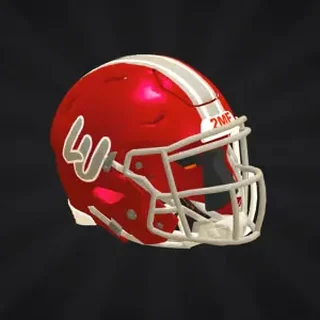
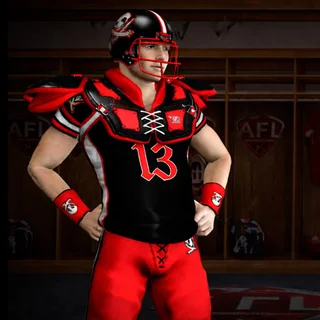
Retro Bowl College is a retro-styled American football simulation game created by New Star Games and released in November 2023. In this title, you act as both head coach and on-field quarterback, guiding an underdog collegiate squad through demanding seasons toward championship glory. Unlike professional football titles with established rosters, this edition challenges you to build a winning program from the ground up through recruitment and campus upgrades. The game plays directly here in your web browser with no download or setup required.
Key features
- College roster building: Scout and recruit fresh student athletes each season to replace departing talent and maintain a competitive lineup.
- Campus facility upgrades: Invest program funds into training facilities to accelerate athlete development and keep the team in peak condition.
- Skill training: Train your players with new skills and tactical discipline to elevate underdogs into title contenders.
- Dual coaching and play control: Call the plays from the sideline, then take direct control on the field to pass, run, and score.
- Fourth down decisions: Evaluate game situations to decide whether to attempt a risky fourth down conversion or settle for a field goal.
- Accessible controls: Guide offensive drives with straightforward mouse aiming for passes and responsive keyboard commands for runner maneuvers.
How to play
- Select your program: Choose your college team, evaluate your initial roster, and review upcoming match fixtures.
- Read the defense: Line up at the scrimmage line, observe opponent coverage, and identify open passing lanes across the field.
- Deliver the pass: Drag the mouse backward to establish throwing trajectory and release to send the football toward your target.
- Navigate downfield: Use W and S to dodge incoming tacklers and steer your ball carrier toward open turf.
- Secure extra yards: Tap A or D to dive forward when approaching the first down marker or breaking into the end zone.
- Develop your campus: Spend accumulated earnings between games to upgrade training facilities and boost player skill ratings.
Controls
Retro Bowl College uses intuitive controls that combine precise mouse aiming with keyboard movement for on-field drives.
| Action | Keyboard / mouse |
|---|---|
| Navigate menus | Mouse click |
| Aim and throw pass | Drag and release mouse |
| Move player up or down | W and S |
| Dive forward | A or D |
Campus facilities and player development
Long-term success in Retro Bowl College requires a disciplined approach to program management between weekly matches. Coaches balance offensive execution on game day with steady investments in campus training facilities. Upgrading these facilities increases the rate at which student athletes gain experience and master new tactical skills. A well-conditioned squad executes route running with greater precision, catches contested passes reliably, and withstands physical matchups late in tough games. By continually training underdogs and improving campus infrastructure, your program establishes the depth needed to compete for major postseason trophies.
Tips and strategy
- Target high-percentage passes: Focus on short and medium routes during opening downs to sustain momentum and avoid costly turnovers.
- Dive for crucial yardage: Whenever a defender closes in near the marker, use A or D to dive forward and secure the required distance.
- Anticipate receiver breaks: Release your throw just before your receiver cuts outside so the ball arrives exactly as separation occurs.
- Manage fourth down risks: Attempt fourth down conversions only when trailing late or needing short yardage, opting for field goals in tighter situations.
- Prioritize training facilities: Direct early program resources into campus facility improvements so every athlete improves steadily across the season.
Versions and similar games
Retro Bowl College is the collegiate follow-up to the original Retro Bowl, replacing pro-tier player trades with college recruitment and campus upgrades. Players on Tunnel Rush who want a change of pace from gridiron playbooks can test their instincts on reflex-driven speed titles. High-speed runners such as Tunnel Rush, Going Balls, and Run deliver rapid obstacle courses and fast gameplay sessions between football matches.
Developer and history
Retro Bowl College was created by New Star Games and released in November 2023. Building upon the beloved mechanics of the original Retro Bowl, this college edition introduced campus facility progression and team building tailored to collegiate football competition.
Questions about Retro Bowl College
Is Retro Bowl College unblocked at school?
Retro Bowl College runs in an ordinary browser tab from tunnelrush.app, with nothing to download or install, so it plays on most school Chromebooks and work computers. If a network filter blocks the site, only that network's administrator can change it.
Can I play Retro Bowl College in my browser?
Yes, Retro Bowl College runs directly in any modern desktop or mobile browser without requiring downloads or installations.
How do you control passes in Retro Bowl College?
You click and drag backward with the mouse to set the pass angle and power, then release to throw the football to your receiver.
Who created Retro Bowl College?
Retro Bowl College was created by New Star Games as a college football follow-up to the original Retro Bowl.