Football Legends Unblocked — Play Free Online
More Sports Games games

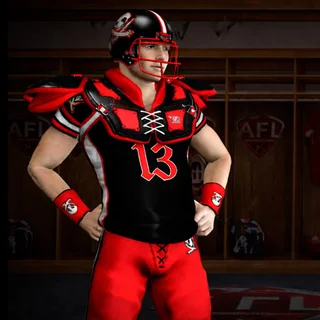







Football Legends unblocked: play Football Legends online free right here in your browser — no download, no sign-up, works on a school Chromebook.
What is Football Legends?
Football Legends is a side-scrolling 2D arcade soccer game created by MadPuffers in 2021. Players take control of stylized, big-headed football athletes in fast-paced matches that emphasize quick footwork, aerial headers, sliding tackles, and special charged supershots. You can jump straight into casual exhibition matches or battle through tournament brackets either solo or alongside a teammate. The entire experience runs directly in modern web browsers without requiring any installation or file downloads.
Key features
- Arcade soccer physics: High-arcing ball bounces and floaty character jumps create frequent aerial duels right in front of the goal nets.
- Devastating supershots: Charging your special meter unlocks unstoppable flaming kicks and teleportation strikes that blast past goalkeepers.
- Multiple team formats: Compete in tight one-on-one showdowns or team up for chaotic two-on-two cooperative matches.
- Full tournament ladders: Battle through single-elimination knockout brackets to hoist the championship cup.
- Shared keyboard multiplayer: Challenge a friend on the same computer screen with dedicated key bindings for both players.
- Instant browser playback: Lightweight HTML architecture loads instantly across desktop computers, laptops, and mobile devices.
How to play
- Select your preferred match setup from the main menu, picking either single-player or two-player mode alongside one-versus-one or two-versus-two team sizes.
- Choose your squad from the roster of international football clubs and stylized soccer stars.
- Kick off at the center circle and contest possession by sprinting forward and jumping to head the ball.
- Tackle approaching opponents with low slide kicks to dislodge the ball before they reach your penalty box.
- Build your special meter over the course of the match and unleash your supershot when you have a clear sightline on the net.
- Defend your own crossbar until the final whistle sounds, scoring more total goals than your rival to claim victory.
Controls
| Action | Keyboard / mouse | Touch |
|---|---|---|
| Move left and right | A and D keys or Left and Right arrow keys | On-screen directional buttons |
| Jump and aerial header | W key or Up arrow key | On-screen jump button |
| Slide tackle and low kick | S key or Down arrow key | On-screen slide button |
| Standard shot | L key or X key | On-screen kick button |
| Supershot ability | K key or Z key | On-screen supershot button |
Supershot mechanics and match strategy
The standout mechanic in Football Legends is the supershot gauge located next to your player portrait. This energy gauge builds gradually as match time elapses. Once the meter flashes full, pressing the designated supershot key activates a character-specific super kick. Some strikers launch a flaming projectile that knocks back any defending player in its path, while others perform lightning-fast teleports directly toward the ball.
Timing your supershot is essential. Firing immediately upon charging can lead to wasted opportunities if an opponent is already in a defensive sliding animation. The most effective approach is baiting the opposing goalkeeper into jumping early, then triggering the supershot to blast the ball under their feet into the open net.
Tips and strategy
- Protect the aerial zone: Jump slightly before the ball reaches peak height so your head connects first, redirecting rebounds downward toward the opposing goal.
- Slide to disrupt counterattacks: Performing a low slide kick sweeps the ball out of an attacker's possession and temporarily knocks their player off balance.
- Conserve special abilities for ties: Save a charged supershot for late-game situations or stoppage time when a single goal decides the match outcome.
- Trap the ball against the boundary: Use the pitch walls to bounce tricky angles over opponents who charge toward you recklessly.
- Coordinate in two-player matches: Assign one teammate to stay near your home goalpost while the other pushes forward to pressure the rival net.
Game modes
Tournament
Tournament mode places your chosen squad into a multi-round championship bracket. Winning each match advances your team to the next round, culminating in a tense final showdown for the tournament trophy.
Quick match
Quick match provides an immediate casual game against computer-controlled opponents, allowing you to test out different character supershots and refine your timing.
Two-player versus and co-op
Local multiplayer splits the keyboard so two competitors can face off directly in head-to-head duels or unite on the same side in two-on-two cooperative tournament runs.
Versions and similar games
Football Legends is part of the popular sports game catalog developed by MadPuffers, sharing its energetic bobblehead style with sister titles like Football Masters and Basketball Stars. On Tunnel Rush, players looking for other fast-paced reaction games can jump into high-speed obstacle runners like Run, Color Tunnel, and G-Switch.
Developer and history
Football Legends was created by MadPuffers, an experienced game development studio known for accessible browser-based sports titles. Released in May 2021, the game continues to attract fans of competitive arcade soccer through its responsive mechanics and local multiplayer options.
Questions about Football Legends
Is Football Legends unblocked at school?
Football Legends runs in an ordinary browser tab from tunnelrush.app, with nothing to download or install, so it plays on most school Chromebooks and work computers. If a network filter blocks the site, only that network's administrator can change it.
Who created Football Legends?
Football Legends was created by MadPuffers and released in May 2021 as an arcade browser sports game.
Can two people play Football Legends on the same keyboard?
Yes, Football Legends supports local two-player matches where players share the keyboard using WASD and arrow keys.
How do you trigger a supershot in Football Legends?
Wait until your supershot energy icon fills at the top of the screen, then press the Z key or K key to blast the ball.
Does Football Legends run on mobile phones and tablets?
Yes, the HTML5 version runs directly in mobile web browsers with on-screen virtual touch controls.