Moto X3M Unblocked — Play Free Online
More Racing & Driving games
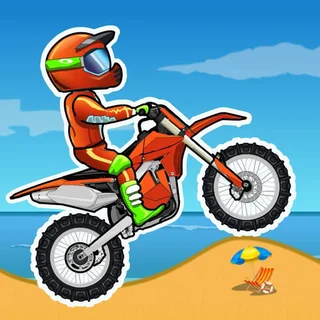
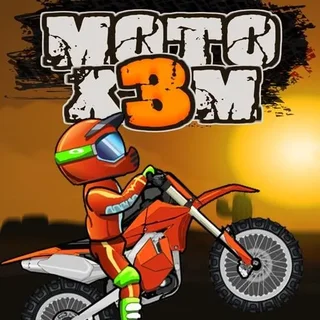






Moto X3M unblocked: play Moto X3M online free right here in your browser — no download, no sign-up, works on a school Chromebook.
Moto X3M - Guide and Full Overview
Description
Moto X3M is a fast-paced motorcycle stunt game where players navigate through challenging tracks filled with ramps, loops, and obstacles. Known for its smooth physics and creative level design, Moto X3M tests your timing, precision, and creativity as you race against the clock to complete each level. With multiple sequels and themes, Moto X3M is a fan favorite for casual gaming sessions at school, work, or home.
Controls
For PC
- Up Arrow: Accelerate
- Down Arrow: Brake
- Left Arrow: Tilt the bike backward (control flips)
- Right Arrow: Tilt the bike forward
For Mobile/Tablet
- Touchscreen: Use on-screen buttons for acceleration, braking, and tilting.
How to Play
- Objective: Complete each level as quickly as possible while avoiding crashes and performing stunts to earn bonus points.
- Navigate Obstacles: Use ramps, loops, and platforms to navigate through challenging courses.
- Perform Tricks: Tilt your bike mid-air to perform flips and land safely for extra time bonuses.
- Master Timing: Avoid deadly obstacles like spikes, TNT, and moving platforms by carefully timing your movements.
- Progress Through Levels: Complete levels to unlock new ones, with increasing difficulty and complexity.
How to Play at School or Work
To enjoy Moto X3M, try these methods:
- Search for Browser Versions: Look for Moto X3M hosted on gaming platforms that offer HTML5-supported games.
- Use a VPN: Install a secure VPN to bypass restrictions on gaming websites.
- Download Offline Versions: Check for Moto X3M apps on mobile devices for offline play.
- Portable Play: Save the game file or app to a USB drive or cloud storage to access it on multiple devices.
Tips & Tricks
- Perfect Your Timing: Anticipate jumps and obstacles to maintain your momentum.
- Control Your Flips: Perform flips for extra time but land carefully to avoid crashing.
- Use the Restart Option: If you crash, quickly restart the level to save time.
- Brake Strategically: Slowing down before complex obstacles can save you from crashing.
- Practice Makes Perfect: Replay levels to learn their layouts and improve your speed.
Hacks & Cheats
While cheats like unlimited time or invincibility might exist, the true challenge of Moto X3M lies in mastering the tracks and refining your skills. Play fairly for a more rewarding experience!
Game History
- 2015: The original Moto X3M was released as a Flash game, quickly gaining popularity for its fun mechanics and challenging levels.
- 2016–2020: Several sequels, such as Moto X3M Winter, Moto X3M Pool Party, and Moto X3M Spooky Land, were released with unique themes and new levels.
- HTML5 Transition: After the decline of Flash, Moto X3M was redeveloped in HTML5 to remain accessible on modern browsers.
Game Developer
- Developer: Madpuffers
- Platforms: Browser (HTML5), Mobile (iOS/Android)
- Release Date: 2015
Game Details
FAQ (Frequently Asked Questions)
Q1: What is Moto X3M?
Moto X3M is a motorcycle stunt game where players race through obstacle-filled tracks while performing tricks and avoiding crashes.
Q2: Can I play Moto X3M offline?
Yes, Moto X3M is available as a mobile app, allowing offline gameplay on iOS and Android devices.
Q3: Is Moto X3M free to play?
Yes, most versions of Moto X3M are free, though some may feature ads or in-app purchases.
Q4: How many levels are in Moto X3M?
The original Moto X3M has over 20 levels, with sequels offering additional tracks and themes.
Q5: What are the other Moto X3M games?
Popular sequels include:
- Moto X3M Winter
- Moto X3M Pool Party
- Moto X3M Spooky Land
Questions about Moto X3M
Is Moto X3M unblocked at school?
Moto X3M runs in an ordinary browser tab from tunnelrush.app, with nothing to download or install, so it plays on most school Chromebooks and work computers. If a network filter blocks the site, only that network's administrator can change it.
How do I play Moto X3M?
W or Up accelerates, S or Down brakes, Left/Right or A/D steer; Space is the handbrake or nitro in most of them. On bike games, lean with Left and Right in the air.
Is Moto X3M free?
Yes. Moto X3M is free to play in your browser on tunnelrush.app, with no download or account.
Does Moto X3M work on a phone or Chromebook?
It is an HTML5 build, so it runs in any modern browser; a keyboard makes some games easier.