Tunnel Rush on a Chromebook: Keys Not Working, Lag and Lost Records
Published · 2 min read
Tunnel Rush is one of the lighter 3D games you can open in a browser, but a school Chromebook is also one of the weaker machines you can open it on. Here is how to get it running smoothly on tunnelrush.app, and what to check when it does not.
Loading the game
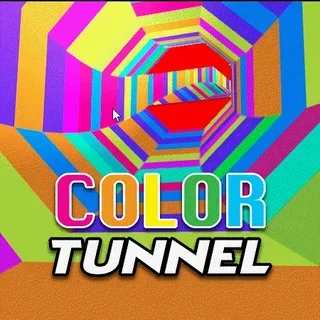
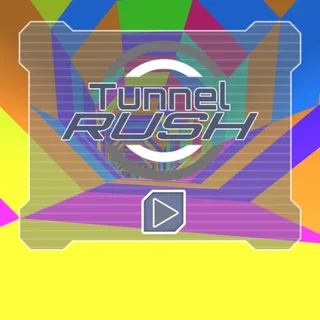
The game is a Unity WebGL build of about 12 MB that is served from this site. The first load downloads it; after that your browser usually keeps it in its cache, so the second visit starts faster. You will see the Tunnel Rush title card over a spinning tunnel with a play button in the middle. Click it and the run starts straight away.
The arrow keys do nothing
This is the most common problem, and it is almost never the game's fault. When the game sits inside a web page, the keyboard goes to whatever you clicked last. If you clicked the page, the arrows scroll the page. Click once inside the game area and try again. The same applies after you use the fullscreen button or switch tabs. A and D work as well as the arrows, which helps if your arrow keys are small.
It stutters or feels slow
Tunnel Rush depends on a steady frame rate: at 80 metres per second, a dropped frame is a moment you did not see the next obstacle. Close other tabs first, especially video and other games, because they share the same graphics chip. Make sure the Chromebook is plugged in if it slows itself down on battery. In Chrome's settings, "Use graphics acceleration when available" should be on. Fullscreen can help too, because the browser stops drawing the rest of the page around the game.
Your record disappeared
Your best distance is saved in the browser's storage for tunnelrush.app on that device. It is lost if the browser's site data is cleared, if you use a guest or incognito window, or if your school's Chromebooks wipe data at sign-out. It also does not follow you to another computer. None of that can be fixed from the website side, so if you care about a record, take a screenshot of the NEW RECORD card.
The screen is black or stays on loading
Reload the page once. If it still does not start, your browser may have WebGL switched off or blocked; visiting chrome://gpu shows whether WebGL is available. A network that blocks large downloads can also stop the build loading halfway. If none of that explains it, use the report button under the game with your browser and device, and we will look at it.
Playing without sound
The game has music and effects. In a classroom, mute the tab (right-click the tab and choose Mute site) rather than your whole device, so you still hear notifications.
When it works, play it properly
Once it runs smoothly, use short taps rather than long holds, look past the nearest obstacle, and slow your hands down when the tunnel changes colour. Those three habits add more metres than any setting.
More from the blog
- Tunnel Rush Obstacles: Every Shape in the Tunnel and How to Get Through It
Panels with one open face, block clusters, angled bars and the black-and-white paint change — what each one is and where to be when it arrives.
- Tunnel Rush: 10 Questions Players Ask, Answered
What Tunnel Rush is, whether it is free, which keys you use, who made it, how pausing works and why the tunnel gets so hard — answered in plain English.