Crazy Cars Unblocked — Play Free Online
More Racing & Driving games

Crazy Cars unblocked: play Crazy Cars online free right here in your browser — no download, no sign-up, works on a school Chromebook.
What is Crazy Cars?
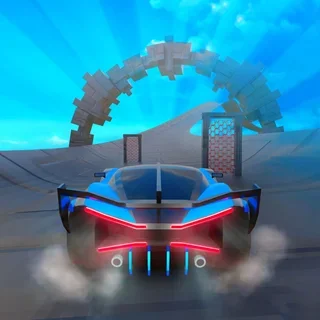
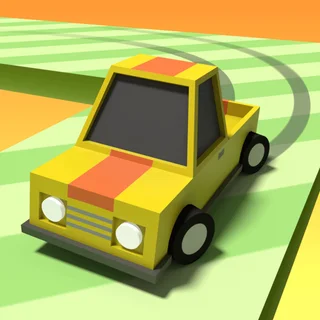
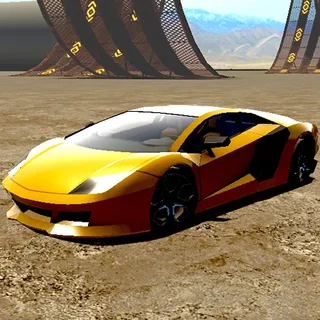
Crazy Cars is a 3D driving and stunt game developed by No Pressure Studios, released in September 2022. The game places players inside an open-world sandbox packed with stunt ramps, obstacle courses, drag strips, and racing circuits. You steer customizable vehicles across wide terrain, scale landmarks like Mount Egg, collect scattered items, and participate in staged challenges. Crazy Cars runs directly in your web browser with no download required, supporting both single-player exploration and two-player shared-screen competition.
Key features
- Open sandbox environment: Explore an expansive map featuring massive ramps, loops, obstacle courses, and Mount Egg.
- Multiple race circuits: Join 8 dedicated race tracks scattered around the world to test your speed against timed runs.
- Vehicle collection: Unlock and drive over 17 distinct cars by finding hidden collectibles across the map.
- Interactive obstacles: Speed through launchers and hazards capable of flinging your vehicle across vast distances.
- Two-player split screen: Challenge a friend locally on the same keyboard using shared-screen controls.
- Collectible progression: Gather glowing stars and wrenches positioned on stunt structures to expand your garage.
How to play
- Choose your vehicle: Select an unlocked vehicle from your garage and spawn into the open map.
- Explore the terrain: Drive across the landscape to discover stunt ramps, obstacle runs, drag strips, and mountain climbs.
- Collect stars and wrenches: Hunt down shiny items hidden atop high structures, loops, and tricky platforms.
- Access race tracks: Pull up to any of the 8 track checkpoints to launch high-speed racing challenges.
- Unlock new cars: Return to the vehicle roster to exchange your collected items for new cars.
Controls
| Action | Player 1 Keyboard | Player 2 Keyboard |
|---|---|---|
| Steer left and right | A and D | Left arrow and Right arrow |
| Accelerate | W | Up arrow |
| Reverse and brake | S | Down arrow |
| Brake | Spacebar | Spacebar |
| Reset car position | R | R |
| Pause game | ESC | ESC |
Vehicles and world exploration
The central progression in Crazy Cars revolves around exploring the map to find collectibles and test new cars. Scattered throughout the environment are collectible stars and wrenches placed in hard-to-reach locations, including the peaks of towering ramps and the summit of Mount Egg. Gathering these items unlocks access to over 17 unique cars, each offering distinct acceleration, handling, and top speed characteristics.
The open world features varied driving zones ranging from open stunt fields to high-flying obstacle courses. Launchers and dynamic ramps can propel your vehicle high into the sky or send it tumbling across the map. When your car flips over or gets trapped inside geometry, pressing the R key instantly resets your vehicle back onto its wheels so you can continue driving without interruption.
Tips and strategy
- Use reset after high-altitude stunts: When flying off massive jumps or landing upside down, tap R immediately to reposition your car without losing momentum.
- Scale Mount Egg early: Climbing the central mountain provides a panoramic view of the map and reveals the locations of hidden stars.
- Practice braking on tight circuits: Use Spacebar and the reverse key before sharp turns on the 8 race tracks to avoid skidding off the course.
- Hunt wrenches for vehicle unlocks: Focus on collecting wrenches and stars across stunt zones to unlock higher-tier cars with improved handling.
- Compete in split-screen races: Play with a friend locally using the shared keyboard setup to practice drag races and obstacle navigation together.
Game modes
Single-player free roam
In single-player mode, you roam the map freely, tackle stunt ramps, climb Mount Egg, collect hidden items, and start any of the 8 race tracks at your own pace.
Two-player split screen
Crazy Cars features a built-in 2 player split screen mode that divides the screen down the middle, allowing two players to explore the world and race head-to-head on one computer.
Versions and similar games
Crazy Cars belongs to the family of fast-paced 3D arcade driving titles. If you enjoy navigating tricky pathways and managing vehicle physics at high speeds, you may also enjoy other browser games on the site:
- Super Tunnel Rush: Focuses on futuristic cockpit-view racing through neon tunnels rather than open-world stunt exploration.
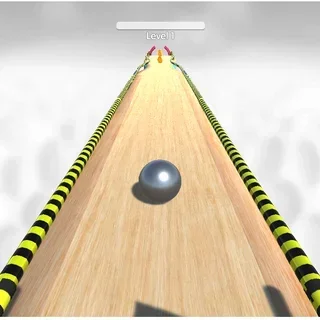
- Going Balls: Tests balance and obstacle navigation on narrow aerial tracks using rolling ball mechanics instead of motorized cars.
- Vortex Racer: Delivers high-speed tunnel dodging where quick reflexes take priority over free-roam sandbox driving.
Developer and history
Crazy Cars was created by No Pressure Studios, an indie game developer that also produced Bossy Toss and the Stickman Climb series. First published on September 21, 2022, Crazy Cars combines open-ended sandbox driving with arcade stunt physics and local multiplayer support.
Questions about Crazy Cars
Is Crazy Cars unblocked at school?
Crazy Cars runs in an ordinary browser tab from tunnelrush.app, with nothing to download or install, so it plays on most school Chromebooks and work computers. If a network filter blocks the site, only that network's administrator can change it.
What is the goal in Crazy Cars?
Crazy Cars is an open-world driving sandbox where you explore the map, perform stunts on ramps, climb Mount Egg, collect stars and wrenches, unlock over 17 cars, and compete across 8 race tracks.
Can two players play Crazy Cars on the same computer?
Yes. Crazy Cars includes a 2 player split screen mode where Player 1 uses WASD and Player 2 uses the Arrow keys to drive simultaneously on a shared screen.
How do you unlock new vehicles in Crazy Cars?
You unlock new vehicles by driving around the map and collecting stars and wrenches hidden across stunt ramps, loops, and obstacle courses.
How do you recover if your car flips over?
If your car lands upside down or gets stuck inside obstacles, press the R key on your keyboard to instantly reset your vehicle position.